Android
A dedicated workspace for checkout, bookings and everyday store tasks on your Android device.
Download for AndroidAvailable ↗Checkout, appointments and your team’s daily numbers.
One clear workspace, right where the work happens.
Android app available now · iPhone / iPad app on the App Store · Web version available
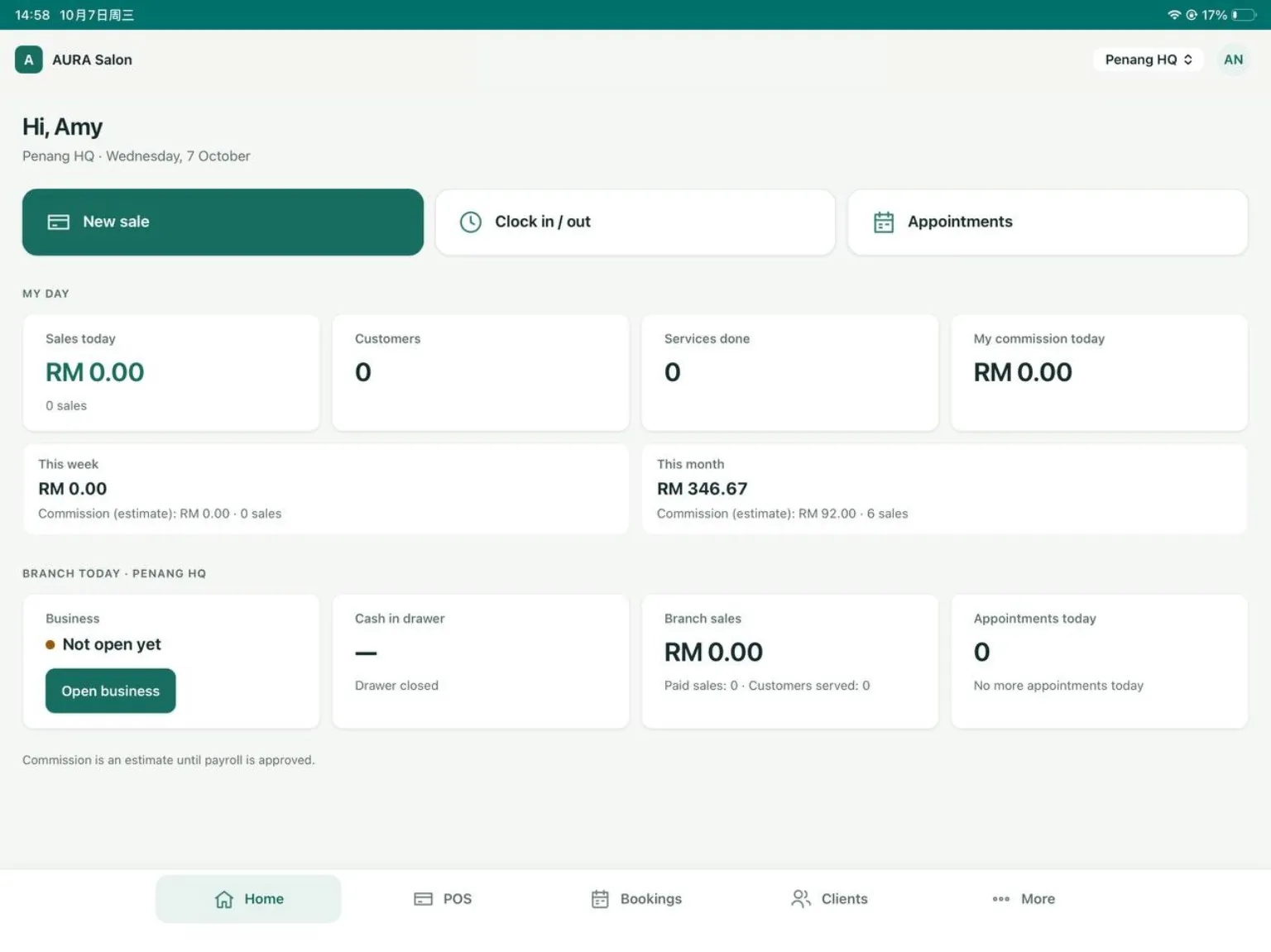
Actual Senvia POS interface · Sample salon data
A tablet for your counter, a phone for your staff, and the web for a wider view of your business.
A dedicated workspace for checkout, bookings and everyday store tasks on your Android device.
Download for AndroidAvailable ↗A comfortable front desk on iPad. A convenient daily companion on iPhone.
Download on the App StoreAvailable ↗For owners and managers who need a wider view of sales, staff performance and branches.
Open the web version↗Give everyday work a clear starting point, and turn performance numbers into a useful view of your team.
New sale, clock in / out and appointments are right on the home screen.
See sales, customers, completed services and estimated commission together.
Compare sales, commission, services and rebooking by period and branch.
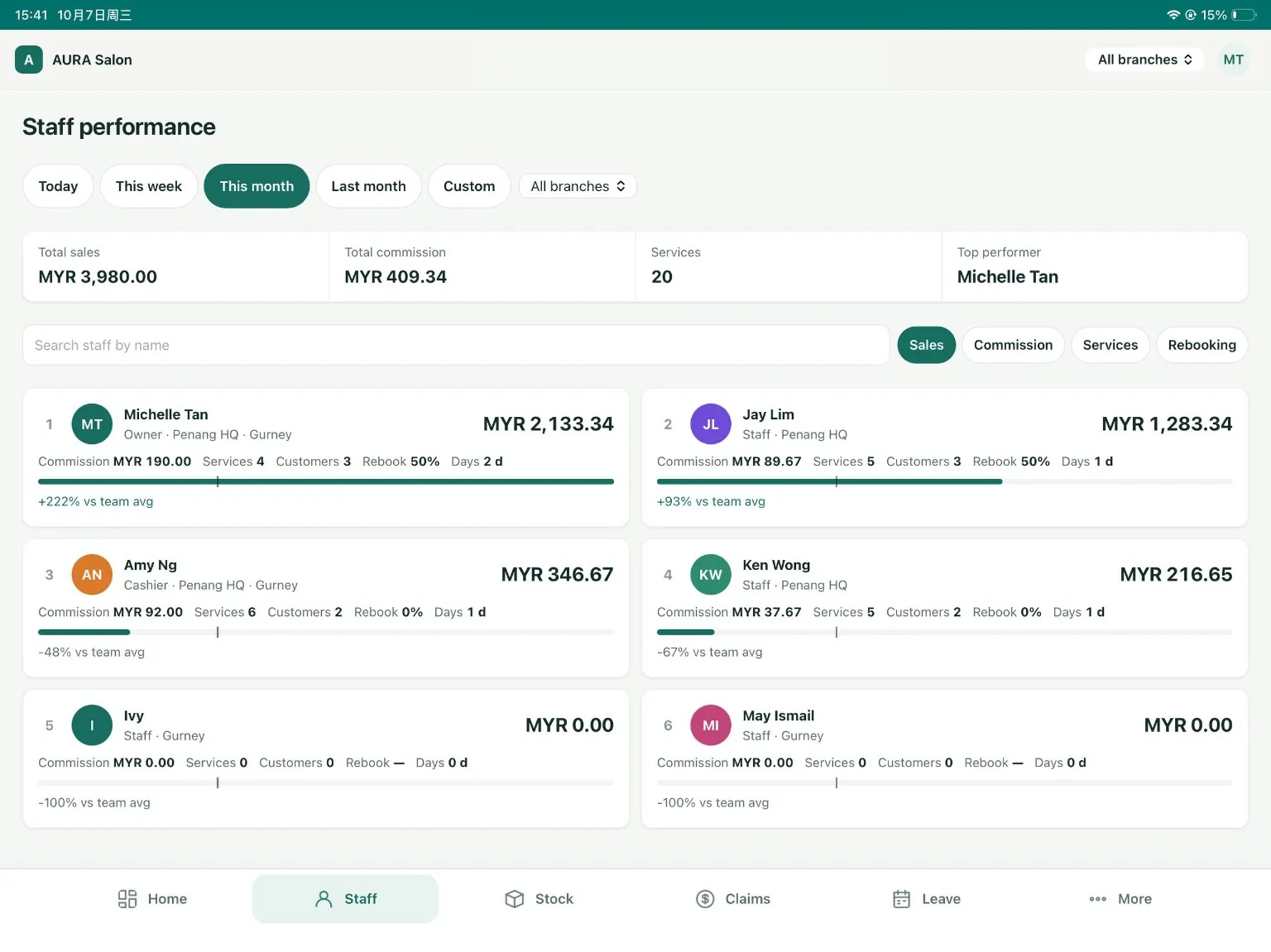
Actual interface with sample data. Commission is an estimate until payroll is approved.
Keep checkout, appointments and customer information within reach. Spend less time moving between tasks.
Explore the front desk ↑Clock in and out, check appointments and see daily sales and estimated commission.
See the daily workflow ↑Use the web version to review staff performance and compare results across your branches.
Explore team performance ↑The Android app is available — use the download link above. The iPhone / iPad app is on the App Store. The web version is also available.
A tablet gives your front desk more room for checkout and appointments. Choose a device that fits your counter and daily workflow.
Owners and managers can use the web version to review sales, team performance and branch information.
Commission figures are estimates until payroll is approved. Review and approve payroll before treating them as final.
Explore Senvia POS and find a better rhythm for your salon.