POS and checkout. Try it right here.
Tap a few services, then charge. This is how fast a sale feels at your front desk.
NEW SALE
- Tap a service to start.
Total$0.00
Commission (10% example): $0.00
Checkout, bookings, members, packages, commission and your own branded website. Set it up this afternoon and take your first sale tonight.
Real app screens with example data
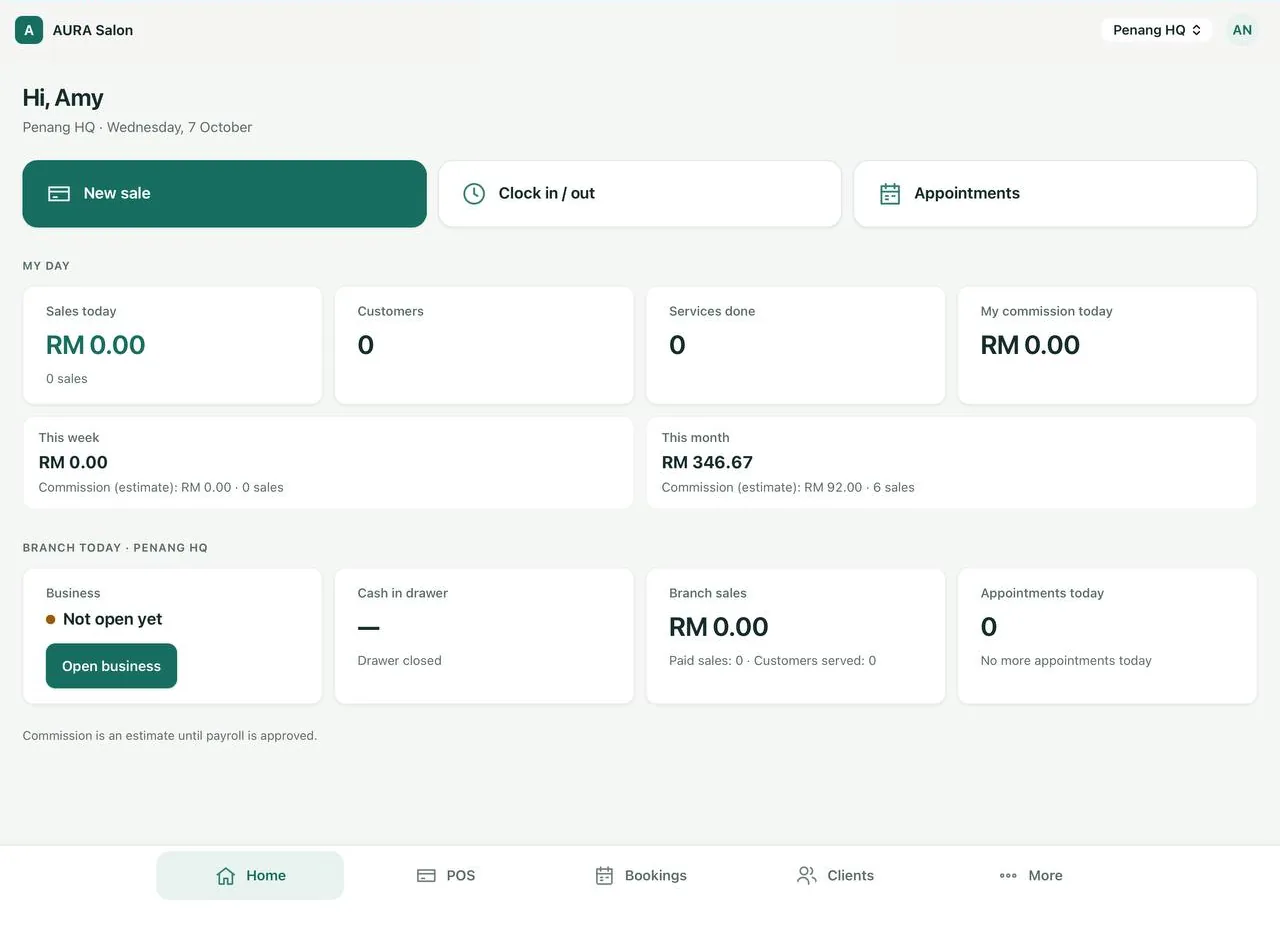
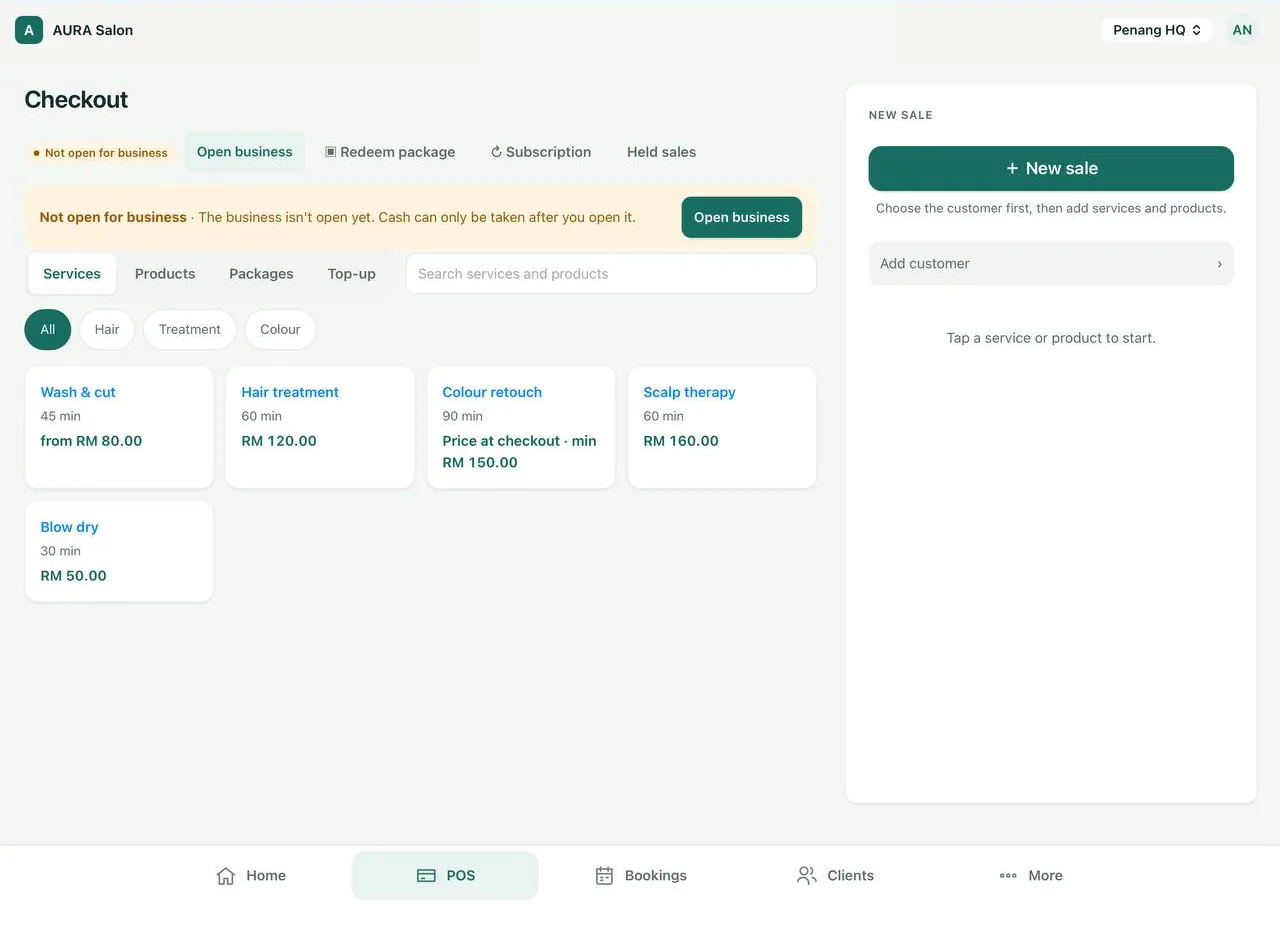
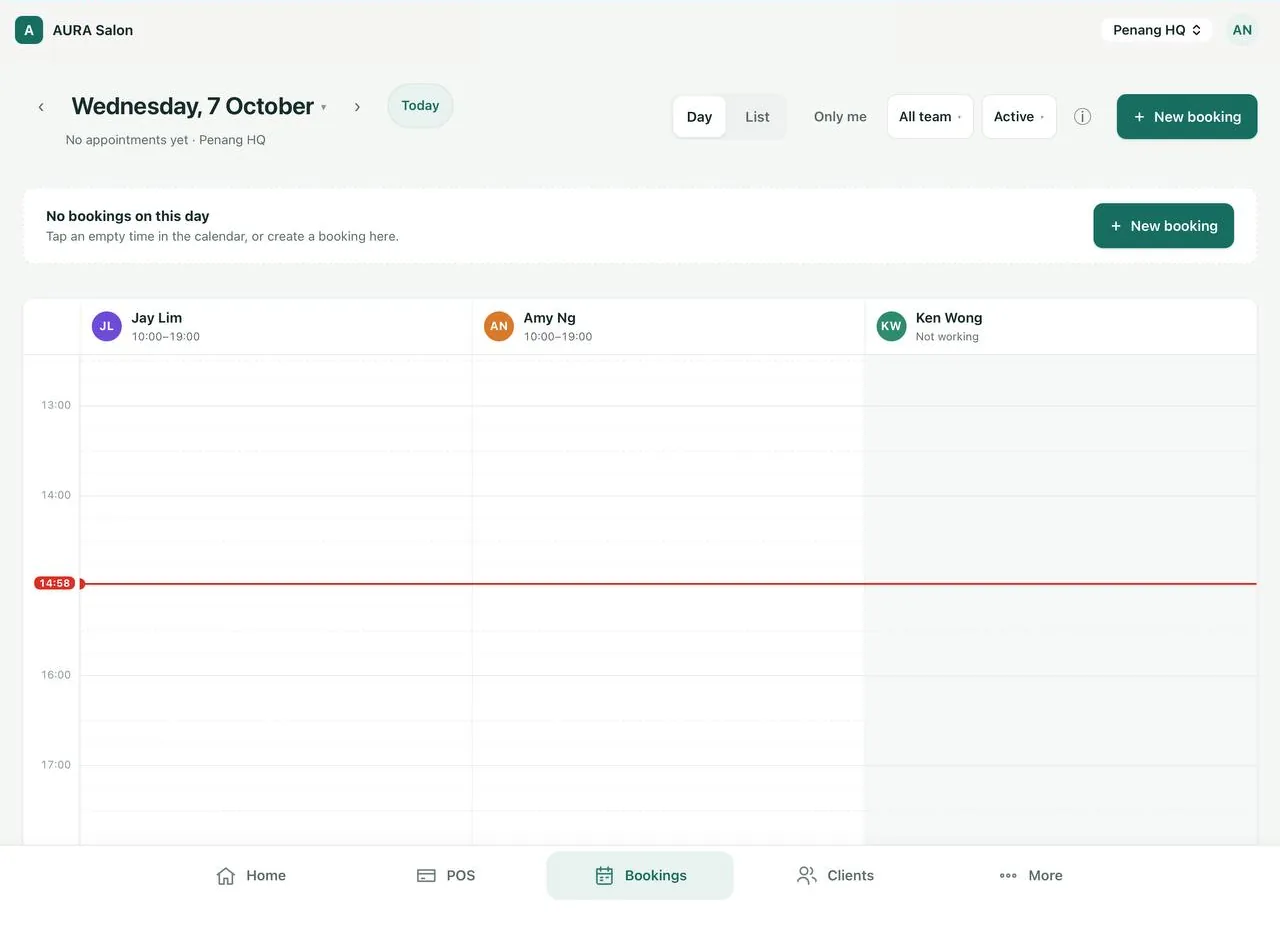
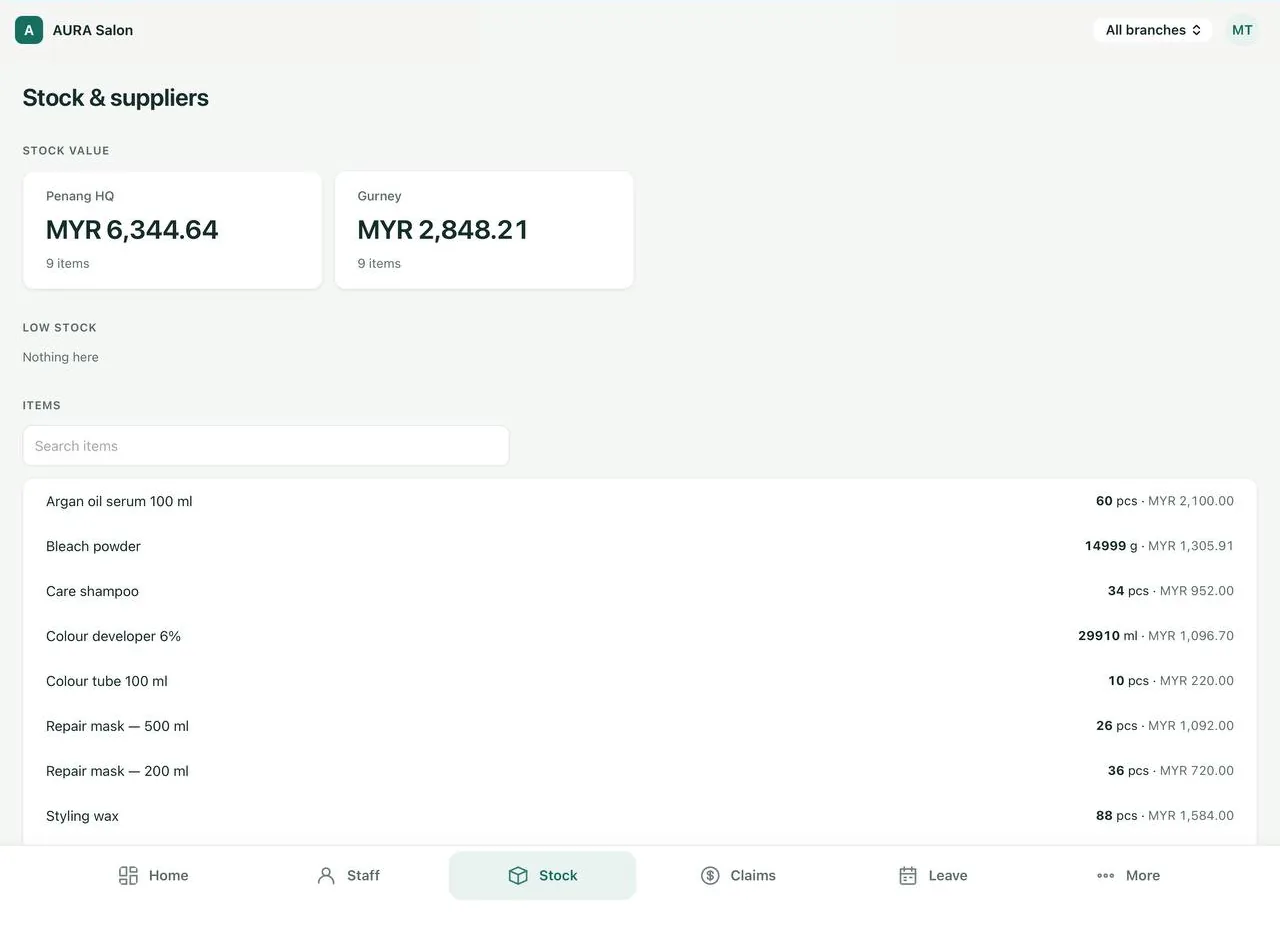
Real screens from the Senvia POS app. Hover or tap a number to see what each part does.
Every stylist sees their own sales, customers and commission. The owner sees the whole branch.
Choose the customer, tap services and products, then charge. Packages, subscriptions and held sales sit right beside.
Shifts show who is working. Tap any empty time to book, or let customers book online.
Stock value per branch, low-stock alerts, and every item counted in pieces, grams or millilitres.
One system for checkout, bookings, members, packages, staff and stock, designed for how salons and spas actually work.
Tap a few services, then charge. This is how fast a sale feels at your front desk.
One calendar for every team member, and an online booking page that fills it while you sleep.
History, preferences, photos and consents for every guest, and rewards that bring them back.
Sell prepaid packages and top-ups. Every session and every cent is tracked.
Commission that calculates itself, and payroll you approve in minutes. On Full, staff clock in on their own phone.
Confirmations, reminders and receipts go out automatically, plus free WhatsApp reminders.
Names, prices and figures in these illustrations are example data.
See all featuresSell monthly service plans, packages and memberships. Senvia POS bills your customers every month through your own Stripe account.
On the Full plan, with your own Stripe account. A small fixed service fee applies per successful recurring charge. See terms
Try Full free for 30 daysExample data
Pick your business type and Senvia POS switches on the right templates, terms and features from the first login.
Create your account, pick your business type and country. No card for the 30-day trial.
The setup wizard walks you through services, prices, staff and hours, or import them from your old system’s CSV or Excel export.
Open the POS on a tablet, share your booking link, and watch the day’s numbers on your phone.
Customers, packages, stored value, stock and upcoming appointments. If something looks wrong, undo the import within 7 days.
How moving worksBoth plans include unlimited team members and a 30-day free trial. Switch plans any time.
Everything to run your shop.
All of Base, plus:
Start from Base and add only what you need.
Prices in USD, excluding local taxes where applicable. Multi-branch: +$30 / branch / month (your first branch is included in every plan). Storage: 5 GB per branch, then $5.90 per 10 GB / month.
Still unsure? Book a demo and we will walk you through it.
Hair salons, barbershops, beauty and facial studios, nail and lash bars, massage and reflexology centres, spas and aesthetics clinics, from a single chair to multi-branch chains.
No. It runs in the browser on an iPad, Android tablet, phone or computer, and in the Senvia POS app. Keep your existing card terminal and receipt printer; card terminal payments are recorded at the checkout.
Yes. Import customers (with packages, points and stored credit), services, products, staff and upcoming appointments from Excel or CSV. Senvia’s AI matches your columns and lists every problem row before anything is saved, and an import can be undone within 7 days.
Cash, your card terminal or bank transfer at the counter, and online card payments and deposits through your own Stripe account. The money goes straight to you.
Yes. The whole app, your booking website and customer messages are available in English and 中文, and each staff member can pick their language.
Your data is encrypted in transit, backed up daily and kept separate from every other business. You can export it at any time.
Start your free trial today. Bring your customer list and we will help you switch.